Driving License Status Check Online – Check DL Status on Parivahan
You can do a driving license status check online through the official Parivahan or Sarathi portal using your application number, date of birth, and captcha.
If you already have a licence, you can also check DL status by entering your driving licence number and DOB.
Quick Answer
To check your driving license status online, visit the official Sarathi Parivahan portal, select your state, click on Application Status, enter your Application Number, Date of Birth, and captcha, then submit the form.
If you want to check an existing driving licence, use the Know Your Driving Licence Status page on Parivahan and enter your DL number, DOB, and verification code.
- Best for new DL: Application Number + DOB
- Best for existing DL: Driving Licence Number + DOB
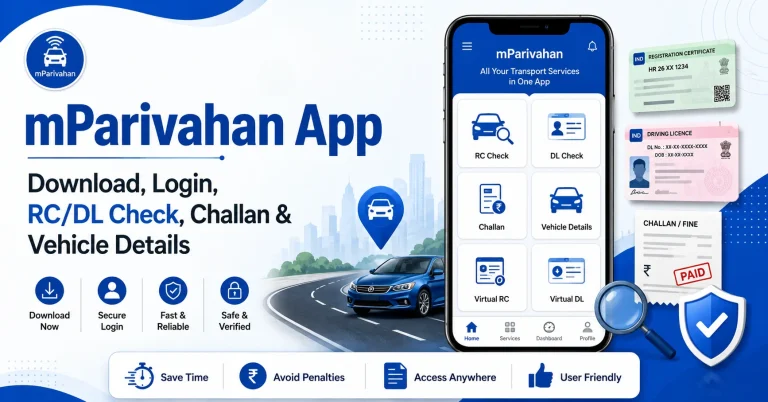
- Best for mobile users: Sarathi portal or mParivahan App
- Best for delayed licence: Check status first, then contact RTO if needed
Check Driving License Status Online
The easiest way to check your DL status is through Sarathi Parivahan. This method is useful if you recently applied for:
Steps to Check DL Application Status
Follow these simple steps:
This method shows whether your application is submitted, under process, approved, rejected, printed, or dispatched.
DL Status vs Application Status
Many users search for driving license status check but do not know which option they need. The table below makes it simple.
| Type | Use This For | Details Needed |
|---|---|---|
| DL Application Status | New DL, learner licence, renewal, duplicate DL, address change | Application number, DOB, captcha |
| Driving Licence Status | Existing licence validity or licence details | DL number, DOB, verification code |
| Dispatch Status | Printed or posted driving licence | Application number or tracking details |
| Renewal Status | Renewal application progress | Application number, DOB |
| Duplicate DL Status | Duplicate licence request | Application number, DOB |
If you recently applied for a licence, check DL application status.
If you already have a licence and want to verify it, check driving licence status by DL number.
Details You Need Before Checking
Keep these details ready before opening the portal:
- Application number from your receipt or SMS
- Date of birth as entered in your application
- Driving licence number, if checking an existing DL
- Correct state name where you applied
- Captcha or verification code
- Registered mobile number, if OTP is required
Small typing mistakes can show “No Record Found,” so enter every detail carefully.
Check Driving Licence Status by DL Number
If your licence is already issued, you can check its status through the Parivahan DL status page.
Use this method when you want to know:
- Whether your DL is valid or active
- Licence expiry details
- Basic licence record
- Suspended or blocked status, if shown
- Existing DL verification
Steps to Check Existing DL Status
Make sure your DL number format is correct. In many cases, the portal accepts a format like state code, RTO code, year, and licence number together.
What Each DL Status Means
When you check your driving licence application status, you may see different messages. Here is what they usually mean.
| Status Message | Meaning | What You Should Do |
|---|---|---|
| Application Submitted | Your form has been received | Wait for RTO processing |
| Under Scrutiny | Documents are being checked | Keep checking remarks |
| Document Verification Pending | RTO has not completed verification | Visit RTO if pending too long |
| Test Slot Booked | Driving test date is fixed | Attend test on time |
| Test Passed | Your test result is updated | Wait for approval |
| Approved | RTO approved your licence | Wait for printing/dispatch |
| Printed | DL card is printed | Check dispatch update |
| Dispatched | Licence has been sent by post | Track delivery if tracking number is available |
| Rejected | Application was not accepted | Read remarks and fix the issue |
| No Record Found | Details may be wrong or not updated | Check state, DOB, and application number |
DL Status Not Showing?
If your DL status is not showing, do not panic. This is common and usually happens because of small mistakes.
Common reasons include:
- Wrong application number
- Wrong date of birth format
- Wrong state selected
- Captcha entered incorrectly
- Application submitted recently
- Server issue on the portal
- RTO has not updated the record yet
- Old DL record is not fully digitised
Try again after some time. If the status is still not showing after many days, visit your RTO with your application receipt and ID proof.
Driving Licence Approved But Not Received
Sometimes the portal shows Approved or Printed, but the physical driving licence does not reach your address.
In this case:
- Check whether the status has changed to dispatched
- Look for any Speed Post or tracking number
- Confirm your address was entered correctly
- Visit your local post office if tracking is available
- Contact the same RTO where you applied
- Carry your original documents and application receipt
If the licence is approved, you may also be able to access a digital copy through DigiLocker or mParivahan App after the record is updated.
Can You Check DL Status Without Application Number?
For application status, the application number is usually required. It is the main number used to track your driving licence request.
If you lost it, try these options:
- Check your SMS from Sarathi or Parivahan
- Check your email inbox
- Look at the payment receipt
- Check the printed acknowledgement slip
- Use the “Find Application Number” option if available in your state
- Visit RTO with ID proof and registered mobile number
Do not guess random numbers. Wrong details may show no result.
Mobile Method for DL Status Check
You can check driving license status on mobile without using a computer.
Use any of these options:
- Open Sarathi Parivahan in your mobile browser
- Use the official mParivahan App
- Use DigiLocker after your licence is issued
- Save a screenshot of your status for future reference
For detailed application tracking, the Sarathi portal is usually better. For digital licence access after approval, mParivahan and DigiLocker are useful.
Common Mistakes to Avoid
Avoid these mistakes while checking DL status online:
- Selecting your current state instead of the state where you applied
- Entering DOB in the wrong format
- Typing application number with missing digits
- Using unofficial websites for personal details
- Paying agents only to check status
- Ignoring RTO remarks on the status page
- Checking too soon after applying
- Sharing OTP, Aadhaar, or payment details on unknown websites
Always use official government portals for final verification.
Safe Checking Tips
Driving licence details are personal, so be careful while checking your status online.
- Use only official portals ending with
.gov.in - Do not pay any website just to check DL status
- Do not share OTP with agents
- Avoid fake Parivahan lookalike websites
- Keep your application receipt safe
- Contact RTO if the status is stuck for a long time
A real status check should be simple, safe, and free.
Best Method for Each Situation
| Your Situation | Best Method |
|---|---|
| Recently applied for DL | Sarathi Application Status |
| Already have DL number | Parivahan DL Status |
| Waiting for card delivery | Check application/dispatch status |
| Lost application number | Find receipt, SMS, or use Find Application Number |
| Status pending too long | Contact RTO |
| Need digital DL | Use DigiLocker or mParivahan App |
| Portal not working | Try later or use mobile/desktop browser |
Related Parivahan Services
Final Words
Driving license status check is simple if you use the correct method. For a new application, track it through Sarathi using your application number and date of birth. For an existing licence, use the Parivahan DL status page with your driving licence number and DOB.
Always check your details carefully, use only official portals, and contact your RTO if your status stays pending or your approved licence is not received.
FAQs
How can I check my driving license status online?
You can check it through the Sarathi Parivahan portal by selecting your state, opening Application Status, and entering your application number, date of birth, and captcha.
Can I check DL status by driving licence number?
Yes. If your licence is already issued, you can check driving licence status by entering your DL number, date of birth, and verification code on the Parivahan DL status page.
What details are required for DL application status?
You need your application number, date of birth, state of application, and captcha code.
Why is my driving licence status not showing?
It may happen because of wrong state selection, incorrect DOB, typing mistake in application number, portal issue, or delayed RTO update.
What does “Approved” mean in DL status?
Approved means the RTO has accepted your driving licence application. After this, the licence may move to printing and dispatch stage.
What should I do if my DL is approved but not received?
Check dispatch status, look for tracking details, confirm your address, and contact your RTO if the licence does not arrive after a reasonable time.
Can I check learner licence status online?
Yes. Learner licence status can be checked through the Sarathi portal using your application number and date of birth.
Is there any fee for driving license status check?
No. Checking DL status online through the official portal is normally free. Do not pay agents or unknown websites just to check status.
Can I use mParivahan for DL status?
Yes, mParivahan can help you view driving licence details and digital DL after your record is available. For full application tracking, Sarathi is usually better.
Which spelling should I use: license or licence?
Both are searched by users. Indian government portals usually use “Driving Licence,” while many users search “Driving License.” Your article can naturally use both.