Check RC Status Online by Vehicle Number – RC Application, Transfer & Dispatch Guide
You can check RC Status online by vehicle number through VAHAN/Parivahan to know whether your vehicle registration is active, pending, approved, printed, dispatched, transferred, or delayed.
Check RC Status Online
Enter your vehicle number, complete the captcha, and continue to the official VAHAN/Parivahan portal for RC status checking.
Start with the official vehicle services route, enter the correct registration number, and use the result to decide whether you need tracking, correction, download, duplicate RC, or an RTO visit.
Check RC Status by Vehicle Number on VAHAN
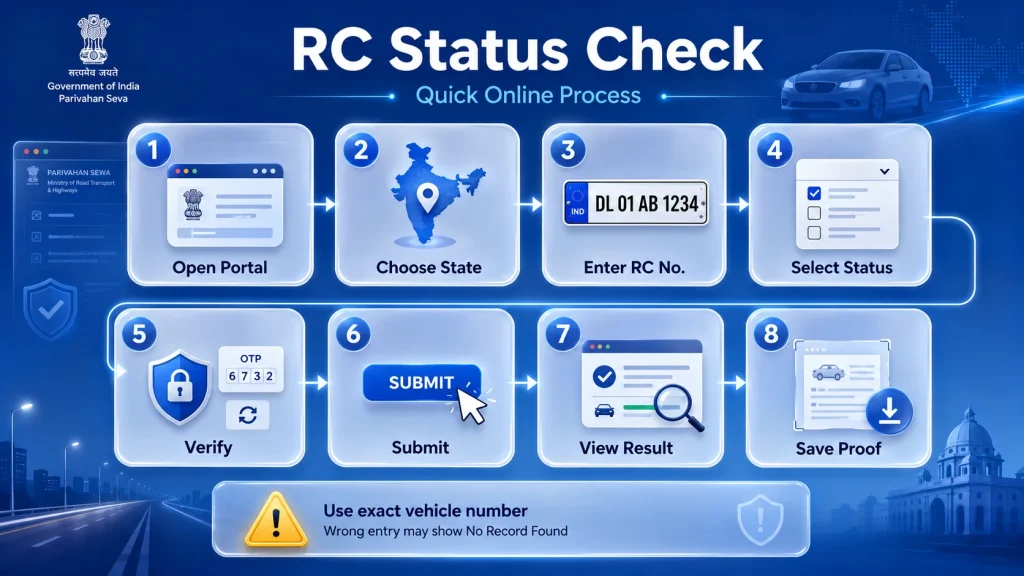
The exact screen may change by state, but the basic process is usually simple.
Start Here: Official RC Status Route
For most Indian users, the best starting point is the official VAHAN/Parivahan vehicle services page. Select the state where your vehicle is registered, enter the vehicle registration number, and follow the status or vehicle-related service option shown on the portal.
Use RC Status when you want to check:
- New vehicle RC progress
- RC smart card status
- Ownership transfer status
- RC renewal status
- Duplicate RC application status
- RC print or dispatch stage
- Pending application at RTO
You can also use this guide with other vehicle services on Parivahan Sewa when you need clear help before opening the official portal.
What RC Status Can Actually Tell You
RC Status does not only mean “vehicle exists or not.” It can show the current stage of your registration record or application.
Find the Right RC Status to Check
Use this quick table to understand which RC status matters for your vehicle situation.
| User Need | What to Check |
|---|---|
| Bought a new vehicle | New RC application status |
| RC card not received | RC print or dispatch status |
| Vehicle sold or purchased | RC transfer status |
| RC renewed after expiry | RC renewal status |
| RC lost or damaged | Duplicate RC status |
| Need PDF copy | RC download, not only status |
| Buying a used vehicle | RC details, challan, ownership and document status |
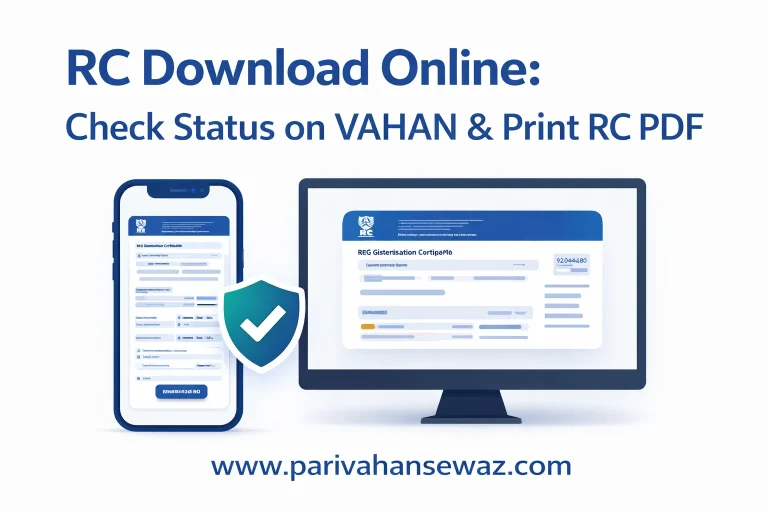
If your RC is already approved and you only want a PDF or digital copy, use the RC Download Online guide instead of checking the same status again.
Write the vehicle number exactly as it appears on your number plate or documents. A small typing mistake can show “No Record Found.”
mParivahan Method for Mobile Users
mParivahan is useful when you want to check RC details or keep virtual RC on your phone. It is especially helpful during travel or traffic checking.
Basic mobile method:
- Install the official mParivahan app.
- Login with your mobile number.
- Search or add your vehicle using registration number.
- Complete OTP or verification if asked.
- Open the RC details or virtual RC section.
- Check registration, validity, insurance, fitness, and related details where available.
If your mobile number is old or not linked properly, you may not receive OTP. In that case, update your mobile number through the official route or contact the concerned RTO.
Read the Status Result Correctly
Many users see a status but do not know what to do next. Use this table as a simple guide.
RC Status Messages and Next Action
Use this table to understand what your RC status result means and what you should do next.
| Status Message | Meaning | Next Step |
|---|---|---|
| Application Submitted | Your request has been received | Wait for verification |
| Pending at RTO | File is waiting for RTO action | Check documents or visit RTO if delayed |
| Under Verification | Details are being checked | Wait and track again |
| Approved | RC request is accepted | Check print/download/dispatch option |
| Printed | RC card/certificate is printed | Track dispatch or delivery |
| Dispatched | RC sent by post/courier | Wait for delivery |
| Delivered | RC received or marked delivered | Keep record safely |
| Rejected | Application has an issue | Fix reason and reapply or contact RTO |
| No Record Found | Details do not match or data not updated | Recheck number, state, chassis/application details |
Do not panic if the status does not update immediately. Some updates take time depending on RTO processing, data sync, payment confirmation, or document verification.
New RC, Transfer, Renewal or Duplicate RC?
RC Status is useful in different situations, but the next action depends on what you applied for.
If you recently bought a new vehicle, check whether the registration has been approved and whether the smart card is printed or dispatched. If you selected a special registration number before registration, the fancy number booking process may also affect when your final RC number is confirmed.
If you sold or purchased a used vehicle, check RC transfer status to confirm whether ownership has moved to the new owner. Do not rely only on verbal confirmation from the seller or buyer.
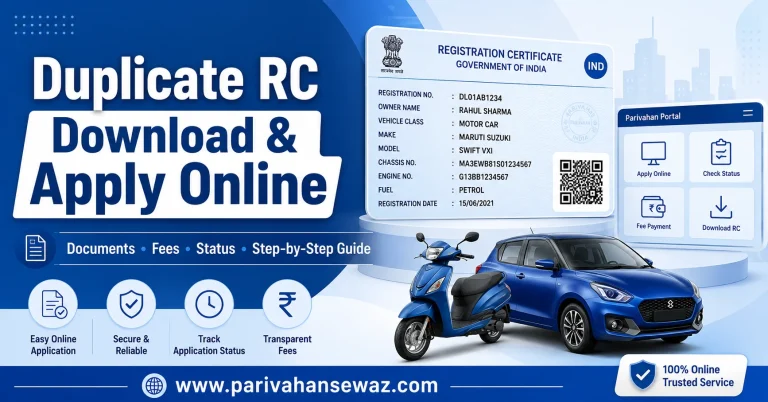
If your RC was lost, stolen, damaged, or torn, status checking alone is not enough. You may need to apply for a replacement through the Duplicate RC download and apply process.
If your registration validity expired and you applied for renewal, use RC Status to confirm whether the renewal is approved before driving long distances or completing further RTO work.
RC Status Is Not the Same as RC Download
This is a common confusion. RC Status tells you the stage of your registration or application. RC Download gives you a digital or printable copy of the RC where available.
Use RC Status when you want to know:
- Is my RC approved?
- Is my RC printed?
- Is my RC dispatched?
- Is my ownership transfer completed?
- Is my renewal pending?
Use RC Download when you want:
- Digital RC PDF
- RC book copy
- Virtual RC
- Printable RC
- DigiLocker or mParivahan RC access
If the status shows approved but you still do not have the RC, then move to the download or print option where supported.
No Record Found or Pending Too Long
If RC status is not showing online, do not apply again immediately. First check the reason.
Common causes include:
- Wrong vehicle number format
- Wrong state selected
- Old record not fully updated in VAHAN
- New vehicle data not synced yet
- Mobile number not updated
- Payment pending at bank side
- Application pending at RTO
- Transfer or renewal document mismatch
- Server or captcha issue
Try again after checking the number, state and application details. If the status remains stuck for many days, contact the dealer, RTO, or transport office depending on your case.
Before Buying or Selling a Vehicle
RC Status is very important in used vehicle deals. Before making full payment, check whether the vehicle is active, ownership details are correct, and any transfer request is pending.
Also check pending traffic fines before sale or transfer. A pending challan can create problems during ownership transfer, so use an e Challan Parivahan check before finalizing a used car or bike deal.
For a safer purchase, verify:
- RC status
- Owner name
- Insurance validity
- PUC validity
- Fitness validity for commercial vehicles
- Pending challans
- Hypothecation or loan status
- Transfer application stage
Safe Way to Use RC Status Online
RC and vehicle details are sensitive. Use official or trusted platforms only.
Follow these safety tips:
- Do not enter vehicle details on random websites.
- Do not share OTP with agents.
- Do not pay for “instant RC status” if the official portal is free.
- Check the official domain spelling before entering details.
- Keep screenshots only for personal records.
- Do not post your full vehicle number publicly.
- Use mParivahan or DigiLocker only from official app stores.
If a website promises private owner data without verification, avoid it.
Your Next Step After Checking
After checking RC Status, take action based on the result. If it is approved, download or print the RC where available. If it is pending, wait for RTO verification or fix missing documents. If it is rejected, read the reason carefully before applying again.
RC Status is most useful when you use it as a decision tool, not just a one-time check. It tells you whether your vehicle record is ready, delayed, under process, or needs correction.
RC Status Questions Users Still Ask
Can I check RC Status online by vehicle number?
Yes, you can check RC Status online by entering the vehicle registration number on the official VAHAN/Parivahan route or through supported mobile platforms like mParivahan.
What details are needed for RC Status check?
Usually, you need the vehicle registration number. In some cases, the portal may also ask for application number, chassis details, OTP, captcha, or state selection.
Why is my RC Status showing pending?
It may be pending because the RTO has not approved the file yet, documents are under verification, payment confirmation is delayed, or the record is waiting for printing or dispatch.
What does RC dispatched mean?
RC dispatched means the registration certificate or smart card has been sent through post, courier, or the delivery system used by the concerned authority.
Can I check RC transfer status online?
Yes, if you have applied for ownership transfer, you can track RC transfer status through the vehicle-related services or application status route available for your state.
What should I do if RC Status shows no record found?
Recheck the registration number, state, application details, and spelling. If the vehicle is newly registered, wait for data update or contact the dealer/RTO.
Is RC Status enough during traffic checking?
RC Status is only a tracking result. For traffic checking, keep your physical RC, DigiLocker RC, or mParivahan virtual RC as applicable.
Can I check bike RC Status online?
Yes, bike RC Status can be checked online by vehicle number if the record is available in the VAHAN/Parivahan system.
Is RC Status different from vehicle details?
Yes. RC Status shows the stage of registration or application, while vehicle details show information like registration number, vehicle class, fuel type, owner details, and validity where available.